


Contour Properties
To customize and configure the contours, open the Surface Properties dialog on the DTM menu. There you can adjust the following, and more...
- Base starting elevation for contour intervals
- Major and minor intervals
- Apply and adjust contour smoothing
- Turn a custom boundary on our off
- Major and minor line types and colors
- Major and minor labeling options
- Spot elevation options
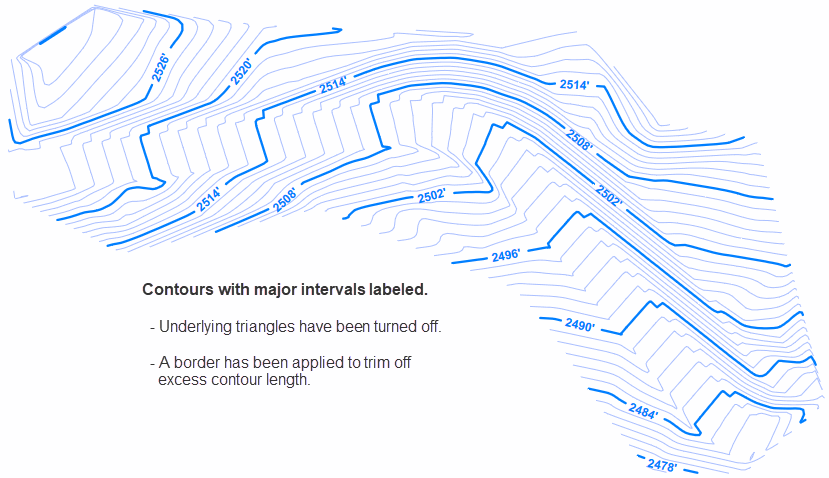
Contour Labels
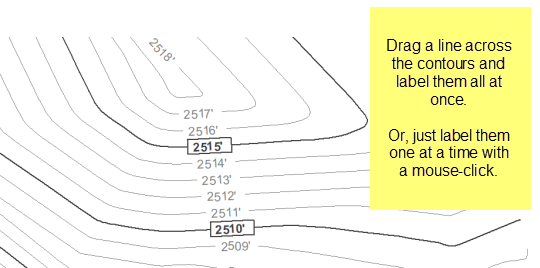
Contour labels can be individually placed with the mouse. Or, you can label many contours at once by drawing a line across them.
Spot Elevations and Cut & Fill
Spot elevations can be placed anywhere on the surface with the mouse. The elevation value is automatically taken from the underlying surface. If the surface is ever modified, the elevations for the labels are updated automatically.
When used with a Volume surface, the spot elevations can be used to represent Cut and Fill.
